
I can't believe it! K-Plex was born just three weeks ago.

True, it had a very long pregnancy.
Its story goes all the way back to 2000, when I first came across Personal Brain, today known as TheBrain. My first PKM love.
On April 22, 2022, I published my first proof-of-concept video, which eventually led to ExcaliBrain.
But what has happened in these past three weeks is beyond mind-blowing!
While K-Plex is still heavily under development, today we have a tool that is drastically more powerful than I believed would be possible to build in a year, back when I started building ExcaliBrain in 2022.
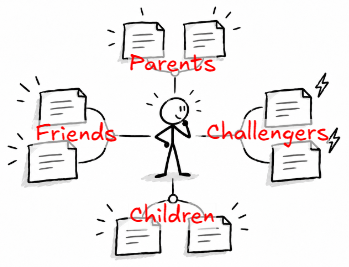
For those who haven't tried it yet, K-Plex is a structured knowledge graph for Obsidian. Unlike traditional graph views, its directions have meaning: parents above, children below, related ideas to the left, challenging ideas to the right.
But it is much more than a graph viewer.
You can create notes, draw connections, build relationships, explore folders, tags, and web links, edit your notes, and navigate your knowledge without losing context.
It is a completely different way of interacting with your Obsidian vault. A way to literally connect your thinking.
I've been adding features so quickly that I sometimes struggle to remember what's already possible. So I thought it was time for a proper walkthrough.
I invited Andy Rammer, a member of our Sketch Your Mind Community and an enthusiastic early adopter, to explore K-Plex with me.
Andy didn't hold back:
"This is the graph that we've always been looking for."
We spent almost an hour exploring K-Plex, and what I enjoyed most was how Andy kept connecting features to real use cases.
Take URLs, for example.
Andy described how he collects web links in research notes without necessarily creating a separate note for every article. Months later, when he returns to a source, he might have completely forgotten that he'd already referenced it somewhere.
But K-Plex indexes those URLs. It reveals which notes reference the same website, even when those notes don't link to each other. It also organizes URLs into their website hierarchy, so different pages from the same site become connected through their common parent.
As Andy put it:
"Oh, hey, I already probably have notes on that website or link."
Exactly! Connections you didn't explicitly create, but which were hiding in your vault all along.
Then Andy sparked another idea I particularly liked: building a Map of Contents while wandering through your graph.
Imagine you're researching a topic. You pin your main topic note to the K-Plex toolbar, then start exploring. Whenever you discover something relevant, simply drag a connection from the note you're looking at to your pinned note.
Keep exploring. Keep connecting. Your Map of Contents takes shape as a natural byproduct of discovery, rather than something you have to plan and maintain separately.
I love this! It turns browsing your knowledge into actively organizing it, without breaking your flow.
We also looked at creating notes and relationships directly on the graph. Andy compared this to working with mind maps in Excalidraw:
"It's another level up."
With K-Plex, you're not just sketching a possible structure. You're creating and manipulating the actual structure of your vault.
Toward the end, I asked Andy why someone should give K-Plex a try. I liked his answer:
"It works naturally how you think and how you want to develop things."
I think that captures what I'm trying to achieve.
If you're curious about K-Plex, watch our conversation. I think you'll discover a few surprises!
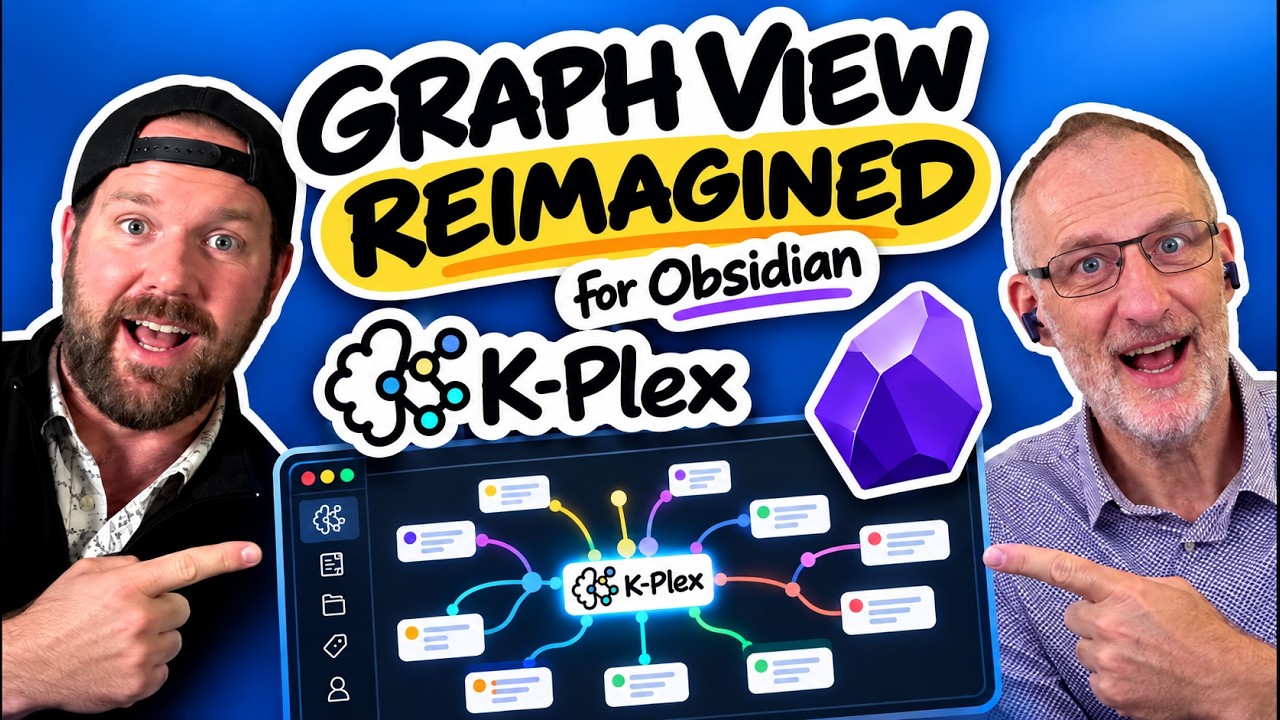
Watch the full K-Plex walkthrough with Andy →
I've also published a K-Plex Help and Demo Vault.
It is a complete Obsidian vault with notes, relationships, examples, and guided explorations. You can use it to learn K-Plex while experiencing what a well-connected knowledge graph feels like.
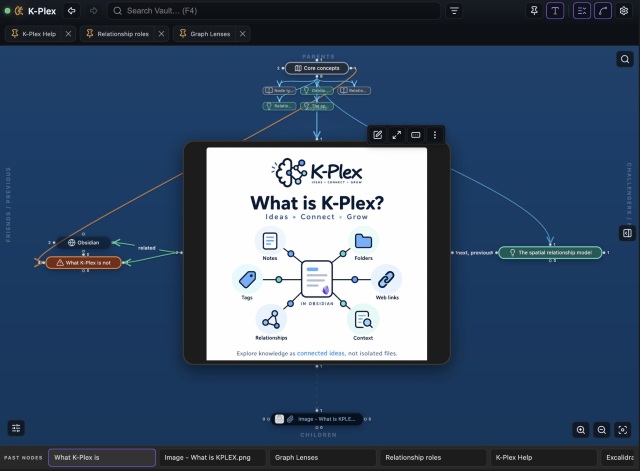
K-Plex is available in the Obsidian Community Plugin Store. It doesn't require Excalidraw or Dataview. Just install and give it a try!
And remember, this is still a young plugin. There are bugs, unfinished ideas, and a long list of things I want to improve. Your feedback is helping me shape where it goes next.
Meanwhile, StoryOS is taking me in unexpected directions...

Our first StoryOS cohort is underway, and it is shaping up to be a memorable and incredibly insightful experience.
Today we explored how to build your own AI Butler. An all-knowing, helpful AI agent that understands your projects, knows your context, and can actually get things done for you. Imagine having an assistant you can delegate real work to, rather than just another chatbot.
On a more personal note, I've also started using storywriting as a kind of personal "drama therapy."
I'm taking a real situation from my life and imagining it as a story, exploring how it might unfold in different contexts, with different characters and circumstances.
It is fascinating how stepping outside your own situation and looking at it through the eyes of fictional characters can open up entirely new perspectives. AI is a real contributor here, helping me imagine scenarios, reactions, and possibilities I would otherwise struggle to picture for myself. It challenges my assumptions, offers alternative interpretations, and helps me explore not just what happened or what might happen, but what could happen if I looked at things differently. In a way, storytelling is becoming a safe space to experiment with life itself.
When I started StoryOS, I thought the big adventure would be learning to write books with AI. Now I'm discovering that the real adventure is learning what else becomes possible when we combine structured thinking, imagination, and AI agents.
StoryOS is about so much more than writing books!
If you enjoy these explorations, here are a few ways to join the journey:
🎬 Watch K-Plex with Andy and give the plugin a try.
🧠 Join the Sketch Your Mind Community to share ideas, ask questions, and connect with others exploring visual thinking, PKM, and AI.
📖 Read my book, Sketch Your Mind, and learn how to think and learn visually.
☕ Support my work on Ko-fi if you enjoy the plugins, videos, and ideas I share.
Life is beautiful.
–Zsolt
